

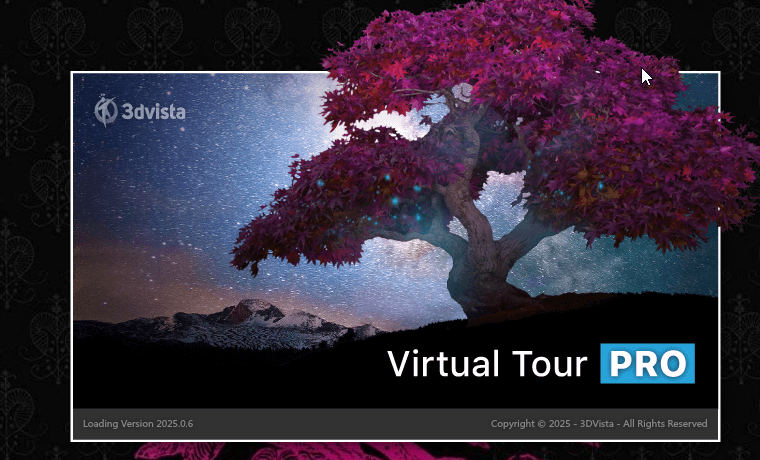
معرفی نرمافزار 3DVista Virtual Tour 2026.0
3DVista Virtual Tour 2026.0 جدیدترین نسخه از نرمافزار پیشرو در ساخت تورهای مجازی ۳۶۰ درجه و تجربههای واقعیت مجازی (VR) است که توسط شرکت اسپانیایی 3DVista توسعه یافته است. این نرمافزار به کاربران امکان میدهد تا بدون نیاز به کدنویسی، تورهای مجازی تعاملی و حرفهای برای صنایع مختلف از جمله املاک، گردشگری، آموزش، موزهها و رویدادها ایجاد کنند و آنها را بر روی تمام دستگاهها از جمله کامپیوتر، موبایل و هدستهای VR اجرا کنند.
نسخه 2026.0 که در تاریخ ۲ مارس ۲۰۲۶ بهصورت رسمی منتشر شده است، یک تحول بزرگ در قابلیتهای VR این نرمافزار محسوب میشود و پشتیبانی کامل از Skin در VR، E-Learning کامل در هدستهای VR و اکشنهای جدید را به ارمغان آورده است.
این نرمافزار با ارائه بیش از ۳۰۰ المان شخصیسازی، کتابخانه گسترده از آیکونها و قابلیت واردات تصاویر سفارشی، به کاربران امکان میدهد تا تورهایی با هویت بصری منحصربهفرد خلق کنند. همراه با اپلیکیشن موبایل رایگان برای اندروید، کاربران میتوانند تورهای خود را بهصورت آنلاین و آفلاین در دستگاههای همراه مشاهده کنند.
قابلیتهای جدید در نسخه 2026.0
نسخه ۲۰۲۶ با ویژگیهای انقلابی در حوزه VR منتشر شده است که مهمترین آنها عبارتند از:
پشتیبانی کامل از Skin در VR (Total VR Mode)
یکی از مهمترین دستاوردهای این نسخه، معرفی پشتیبانی کامل از Skin در حالت VR است. تا پیش از این، تجربههای VR در تورهای مجازی محدود به ساختارهای رابط سادهتر بودند، اما با این بهروزرسانی، کاربران میتوانند دکمهها، پنلها، نوارهای ناوبری، داشبوردها و گردشکارهای ساختاریافته را مستقیماً در هدستهای VR مشاهده و استفاده کنند.
برای این منظور، تنظیمات جدید “Panel VR” در بخش Skin عمومی اضافه شده است که به هر کانتینر یا کامپوننت اجازه میدهد بهعنوان یک پنل اختصاصی در فضای VR رفتار کند. کاربران میتوانند پارامترهایی مانند اندازه، عمق، مقیاس پیکسل، زاویه افقی و عمودی را برای هر المان تنظیم کنند. همچنین گزینههای پیشرفتهای مانند Auto Center (قرارگیری خودکار در جلوی دید کاربر)، Fixed (ثابت ماندن مانند HUD) و Draggable (قابلیت جابجایی توسط کاربر در فضای VR) در دسترس است.
پشتیبانی کامل از E-Learning در VR
این نسخه کل سیستم E-Learning را بدون محدودیت به محیط VR آورده است. کاربران اکنون میتوانند از کارتهای سوال با پشتیبانی کامل از رسانه (شامل ویدئو، ویدئو ۳۶۰ درجه و مدلهای سهبعدی)، پنجره گزارش، پنجره تایماوت، متغیرهای متنی پویا (امتیاز کلی، زمان سپریشده و باقیمانده)، نوارهای پیشرفت و تمام قابلیتهای آموزشی در محیط VR استفاده کنند.
کارتهای سوال در VR تأثیر ویژهای دارند، بهویژه زمانی که شامل رسانههایی مانند ویدئو یا مدلهای سهبعدی هستند. رسانه انتخابشده در پسزمینه پخش میشود در حالی که پنجره سوال و گزینههای پاسخ بر روی آن ظاهر میشوند و تجربه آموزشی منحصربهفردی را ایجاد میکنند.
اکشنهای جدید در VR
قابلیتهای تعاملی در VR با افزوده شدن اکشنهای جدید بهطور قابلتوجهی گسترش یافته است. کاربران اکنون میتوانند در محیط VR اقداماتی مانند باز کردن آلبوم، نمایش ویدئوی پاپآپ، نمایش/مخفی کردن المانها و بسیاری موارد دیگر را پیادهسازی کنند.
قابلیتهای اصلی 3DVista Virtual Tour
این نرمافزار طیف گستردهای از قابلیتهای ساخت تورهای مجازی را در اختیار کاربران قرار میدهد که مهمترین آنها عبارتند از:
مدیا و محتوای تور
- تصاویر ۳۶۰ درجه (پانوراما): قلب هر تور مجازی، ایجاد بستر فضایی برای ناوبری کاربران
- ویدئوهای ۳۶۰ درجه: امکان افزودن ویدئوهای فراگیر به تور برای تجربه پویاتر
- نقشه طبقات (Floor Plans): نمایش نقشههای تعاملی برای راهنمایی بهتر کاربران
- آلبوم عکس و ویدئو: افزودن محتوای دوبعدی بهعنوان لایههای اطلاعاتی در تور
- صدا و موسیقی: قابلیت افزودن افکتهای صوتی و موسیقی پسزمینه
هاتاسپاتها (Hotspots) و تعامل
- هاتاسپاتهای تصویری: استفاده از آیکونهای کتابخانه 3DVista یا واردات تصاویر سفارشی بهعنوان نقاط قابلکلیک
- هاتاسپاتهای موقعیتی (Location Hotspots): ایجاد پورتال بین صحنههای مختلف برای حرکت در تور
- ایجاد خودکار هاتاسپات: با کشیدن یک پانوراما از کتابخانه به فضای کاری، هاتاسپات موقعیتی و هاتاسپات بازگشت بهطور خودکار ایجاد میشوند
- اکشنها و قوانین شرطی: امکان تعریف رفتارهای تعاملی مانند پنهانسازی هاتاسپاتها تا زمان تماشای ویدئو یا عدم اجازه پیشرفت در تور تا پاسخ به یک Quiz
Skin و شخصیسازی
- Skin (قالبهای ظاهری): قالبهایی که بر روی صحنه کار سوار میشوند و کنترلهای ناوبری و عناصر رابط کاربری را فراهم میکنند
- کتابخانه کامپوننتها: شامل دکمهها، آیکونها، تصاویر، نوار پیشرفت، برگهها، منوهای کشویی، لیستهای تصاویر کوچک و بسیاری المانهای دیگر
- پنجره Properties و Actions: کنترل کامل بر سبک، اندازه، موقعیت و رفتار تعاملی هر المان
انتشار و خروجی
- خروجی به فرمتهای مختلف: وب (HTML5)، اجرای آفلاین (EXE)، اپلیکیشن موبایل و VR
- یکپارچگی با LMS: امکان اتصال به سیستمهای مدیریت یادگیری برای ردیابی پیشرفت کاربران
- اپلیکیشن موبایل رایگان: مشاهده تورها بر روی دستگاههای اندروید بهصورت آنلاین و آفلاین
مزایای استفاده از 3DVista Virtual Tour 2026.0
- ✅ پشتیبانی کامل از Skin در VR برای اولین بار در این نرمافزار
- ✅ سیستم کامل E-Learning در VR برای ایجاد تجربههای آموزشی فراگیر
- ✅ ساخت تورهای مجازی حرفهای بدون نیاز به کدنویسی
- ✅ بیش از ۳۰۰ المان قابل شخصیسازی برای طراحی رابط کاربری
- ✅ خروجی چندمنظوره (وب، آفلاین، موبایل، VR)
- ✅ اپلیکیشن موبایل رایگان برای اندروید با قابلیت مشاهده آفلاین
- ✅ پرداخت یکباره و استفاده مادامالعمر (بدون اشتراک ماهیانه)
- ✅ یکپارچگی با سیستمهای LMS برای آموزش و ارزیابی
- ✅ پشتیبانی از ویدئوهای ۳۶۰ درجه با کیفیت بالا
- ✅ قابلیت ایجاد قوانین شرطی برای سناریوهای تعاملی پیشرفته
Introducing 3DVista Virtual Tour 2026.0
3DVista Virtual Tour 2026.0 is the latest version of the leading 360-degree virtual tour and virtual reality (VR) experience software, developed by the Spanish company 3DVista. This software enables users to create interactive and professional virtual tours for various industries including real estate, tourism, education, museums, and events without coding, and run them on all devices including computers, mobile phones, and VR headsets.
Version 2026.0, officially released on March 2, 2026, represents a major revolution in the software’s VR capabilities, bringing full Skin support in VR, complete E-Learning in VR headsets, and new actions.
With over 300 customization elements, an extensive icon library, and custom image import capabilities, this software allows users to create tours with unique visual identities. Along with a free mobile app for Android, users can view their tours online and offline on mobile devices.
New Features in Version 2026.0
Version 2026 has been released with revolutionary features in the VR space, the most important of which include:
Full Skin Support in VR (Total VR Mode)
One of the most significant achievements of this version is the introduction of full Skin support in VR mode. Previously, VR experiences in virtual tours were limited to simpler interface structures, but with this update, users can now view and use buttons, panels, navigation bars, dashboards, and structured workflows directly in VR headsets.
For this purpose, new “Panel VR” settings have been added to the general Skin section, allowing each container or component to behave as a dedicated panel in VR space. Users can adjust parameters such as size, depth, pixel scale, horizontal and vertical angles for each element. Advanced options like Auto Center (automatic placement in front of the user’s view), Fixed (remaining fixed like HUD), and Draggable (user-movable in VR space) are also available.
Full E-Learning Support in VR
This version brings the entire E-Learning system to the VR environment without limitations. Users can now use question cards with full media support (including video, 360-degree video, and 3D models), report windows, timeout windows, dynamic text variables (total score, elapsed and remaining time), progress bars, and all educational features in VR.
Question cards in VR have a special impact, especially when they include media such as video or 3D models. The selected media plays in the background while the question window and answer options appear on top, creating a unique educational experience.
New Actions in VR
Interactive capabilities in VR have been significantly expanded with the addition of new actions. Users can now implement actions such as opening albums, displaying pop-up videos, showing/hiding elements, and many more in the VR environment.
Main Features of 3DVista Virtual Tour
This software offers a wide range of virtual tour creation capabilities to users, the most important of which include:
Tour Media & Content
- 360-degree Images (Panoramas): The heart of every virtual tour, creating a spatial environment for user navigation
- 360-degree Videos: Add immersive videos to the tour for a more dynamic experience
- Floor Plans: Display interactive maps for better user guidance
- Photo and Video Albums: Add 2D content as information layers in the tour
- Audio and Music: Add sound effects and background music
Hotspots & Interaction
- Image Hotspots: Use 3DVista library icons or custom images as clickable points
- Location Hotspots: Create portals between different scenes for tour navigation
- Automatic Hotspot Creation: Drag a panorama from the library to the workspace to automatically create location and return hotspots
- Actions and Conditional Rules: Define interactive behaviors such as hiding hotspots until a video is watched or preventing tour progression until a Quiz is answered
Skin & Customization
- Skin (Visual Templates): Templates that overlay the scene, providing navigation controls and UI elements
- Component Library: Includes buttons, icons, images, progress bars, tabs, dropdown menus, thumbnail lists, and many other elements
- Properties and Actions Window: Full control over style, size, position, and interactive behavior of each element
Publishing & Output
- Various Output Formats: Web (HTML5), offline (EXE), mobile app, and VR
- LMS Integration: Connect to Learning Management Systems for user progress tracking
- Free Mobile App: View tours on Android devices online and offline
Benefits of Using 3DVista Virtual Tour 2026.0
- ✅ Full Skin support in VR for the first time in this software
- ✅ Complete E-Learning system in VR for immersive educational experiences
- ✅ Create professional virtual tours without coding
- ✅ Over 300 customizable elements for UI design
- ✅ Multi-format output (web, offline, mobile, VR)
- ✅ Free mobile app for Android with offline viewing capability
- ✅ One-time payment and lifetime use (no monthly subscription)
- ✅ LMS integration for training and assessment
- ✅ High-quality 360-degree video support
- ✅ Conditional rule creation capability for advanced interactive scenarios


سلام
چطور میتونم دانلودش کنم؟
سلام برای خرید به پشتیبانی تلگرام پیام بدید